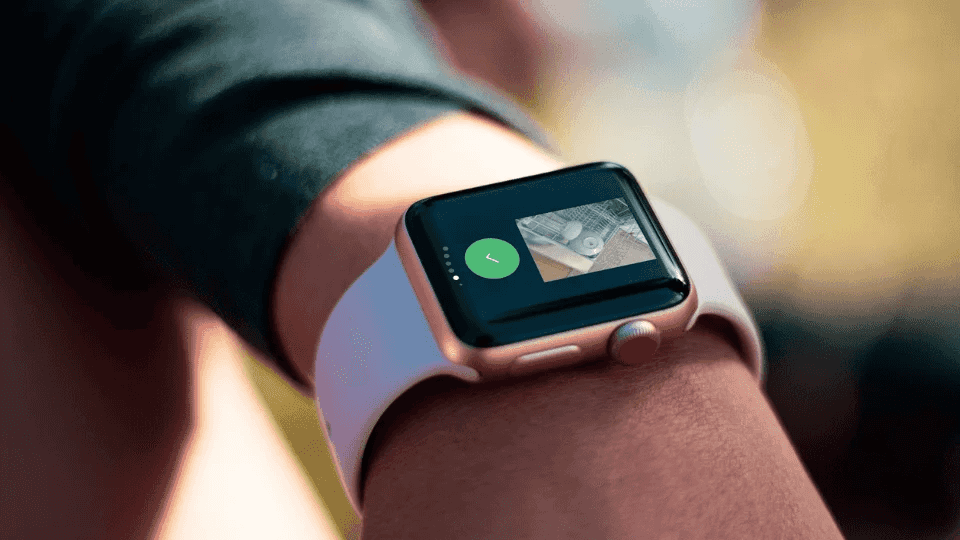

Pictalk Buddy Watch, autonomy on the wrist!
After months of development and testing, we are proud to announce the upcoming release of Pictalk Buddy Watch, our first application for a smartwatch.
A concrete response to a real need
Following the regretted discontinuation of applications like PictoTask and WatchHelp, which supported over 10,000 people daily, we decided to take over. Pictalk Buddy Watch is not just a simple adaptation: it is a solution specifically designed to meet the needs of people with ASD, Trisomy 21, or other cognitive disabilities.
Without or With Phone
Pictalk Buddy Watch works in perfect harmony with the Pictalk Buddy app on smartphones. The watch does not need to be constantly connected to the phone, only once or twice a day for synchronization (morning/evening).

Features that make a difference
Visual scheduling for spatiotemporal cues

Create and manage schedules easily from your smartphone
From Pictalk Buddy, schedule weekly activities in just a few clicks. Each event can be enriched with an image or an icon to facilitate understanding: medical appointment, sports activity, work time, lunch break...
Autonomy and real-time interaction
On the watch, the person visually accessible visualizes their schedule day by day in a clear and intuitive way. They can confirm that an activity is finished or indicate that they refuse to do it – information that you receive instantly on your smartphone.
Remote monitoring to reassure
No more need to be physically present to ensure everything is going well. You track progress in real time and can intervene if necessary, while respecting the autonomy of the person you are supporting.
Customized notifications and reminders

From your Pictalk Buddy app, create tailored alarms and notifications: medication intake, bathroom breaks, activity changes... Each notification can be accompanied by a specific icon or image to facilitate understanding for the supported person.
Guided sequences
Perform your daily routines directly from the watch with eight predefined sequences (brushing teeth, dressing, showering, etc.) and your personal sequences. You can display images, icons, short videos, audios. All your Pictalk Buddy sequences are supported and automatically synchronized.

Emergency communication

Twenty-five essential pictograms and accessible days: politeness messages (hello, thank you, goodbye, please), needs expressions (I'm hungry, I'm thirsty), emergencies: (I'm lost, I hurt, I don't speak...)
Setting up the watch: full-screen alarms
For alarms to appear full screen on the watch (and not as simple notifications), a few permissions must be allowed once.
1. Open Pictalk Buddy Settings
In the watch's app list, open Pictalk Buddy Settings (grey gear icon).

2. Allow all permissions
Go through the list and allow each permission (Exact Alarms, Full Screen, Activity Recognition…) until they all show a blue check mark ✓. A red mark means the permission is still missing.

3. Trigger a sync
At the bottom of the settings, under Debug Tools, tap Trigger Sync now. The watch fetches the schedule again and reprograms the alarms with the new permissions.

The settings app also lets you test alarms and notifications to check that everything works.
"Current event only" mode
In Pictalk Buddy Settings, the Current event only toggle switches the watch to a simplified display, designed for people who are easily distracted or anxious about what comes next:
- Only the current event is shown: no list, no upcoming activities, just what to do now.
- No swiping: the user cannot scroll to other events or days.
- Distraction-free: the screen stays focused on the task at hand.
Our tested and approved watch selection
We rigorously tested several models to offer you the best quality-price ratio:
🥉 Xiaomi Watch 2 – Best value
|
|
Price: 120€ Main features: bright AMOLED screen, light and comfortable Battery life: a full day Connectivity: WIFI only (synchronization only at home) Ideal for: entry-level, budget-friendly Link to purchase: https://link.amazon/B027SnKJ8 |

🥈 Samsung Galaxy Watch 7 4G – Safety first
 |
Price: 300€ Main features: real-time GPS location Safety: Family Link + Samsung Kids Battery life: a full day Connectivity: WIFI + 4G (optional) Accessories: Full cover + tempered glass screen protector Ideal for: Parent monitoring, autonomous outings Link to purchase: https://amzn.to/3VaOgg2 Note: 4G connectivity requires a specific additional subscription with a mobile operator. The average cost is 5€/month |
🥇 OnePlus Watch 3 – Technical excellence
|
|
Price: 200€ Main features: Large screen, exceptional battery life Battery life: Three days of use Connectivity: WIFI only (synchronization only at home) Ideal for: Heavy use, maximum comfort Purchase link (affiliate): https://amzn.to/3VaO946 |

Transparent pricing
Pictalk Buddy Watch is exclusively available for Pictalk Buddy Plus with watch option subscribers for 11,99 € per month and is included free in the Pictalk Buddy Pro plans.
This pricing allows us to maintain quality service and continue developing new features suited to your needs.
Why choose a smartwatch?
Always accessible
Unlike the phone which can be forgotten or lost, the watch stays on the wrist.
Discreet and non-stigmatizing
Perfect for school, work or social outings.
Focused on essentials
No distractions: no games, no web browsing, just the necessary help.
Accepted everywhere
Unlike phones which are often banned (special education schools, supported employment settings), watches are generally tolerated.
Join the adventure
Already using Pictalk Buddy? Interested in the watch version? Your feedback is valuable to us!
Contact us to share your needs and expectations. Together, we are building the tool that looks like you.
Join us on social media to see our test videos.
Pictalk Buddy Watch: Because independence should never leave your wrist.