Pictalk Buddy The companion for communication and autonomy
Pictalk Buddy helps people with neurodevelopmental disorders (ADD, ADHD, autism) and cognitive impairments develop communication and autonomy through pictograms and visual routines.
4.8 ★ · 113 reviews on Google Play · 10K+ downloads · Download the flyer
Try Buddy right here
The app's real screens, with its pictograms. Tap, scroll, confirm: it all works.
 October22
 Board
Board I
I would like
 a coffee
 please
 I put the dirty laundry away and put it in the basket.
 Step 2I take a garbage bag and throw away all the trash I see.
 My Life StoryToday, I had a coffee with my family.❤️ 2
Why use Pictalk Buddy?
-
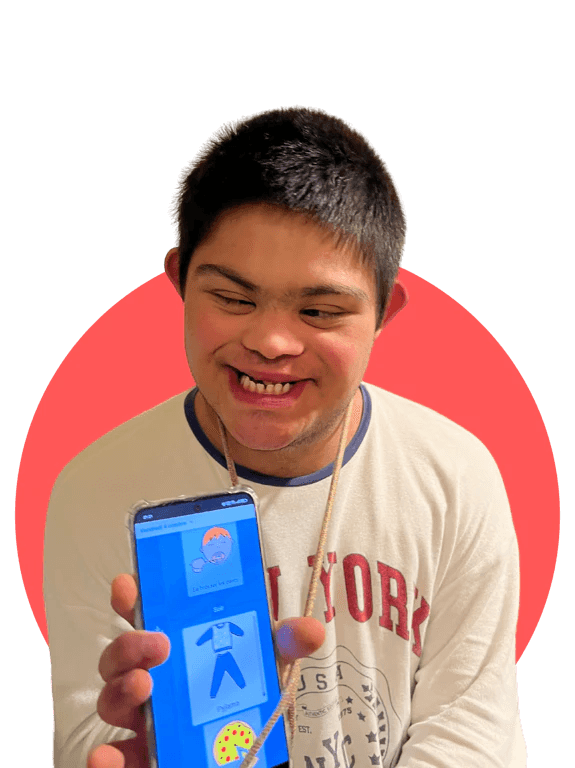 Visual schedule
Fewer meltdowns over the unexpected
Appointments and changes appear in advance, in pictures. Pablo knows what's coming and gets ready for it.
-
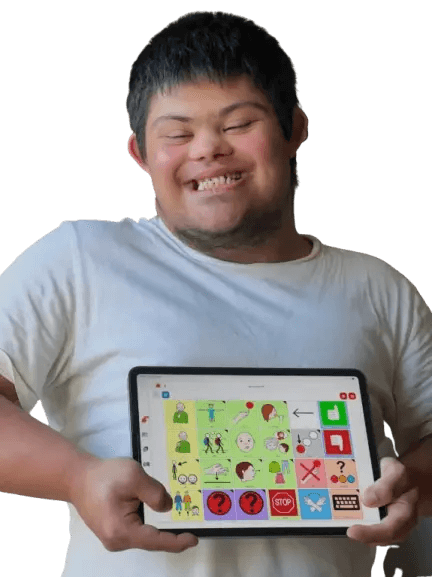 Communication
Being understood
Picture boards with a synthetic voice to express a need or a feeling, or to talk about the day.
-
 Step-by-step tasks
On your own, step by step
Each task is split into illustrated steps. Mathis manages tooth brushing without reminders.
-
 Smartwatch
Staying on track at work
Reminders arrive on the phone or the watch: Mathilde, who works in a sheltered workplace, knows which tools to bring and when the break ends.
What users say
4.8 113 reviews on Google Play-
Good for my autism/adhd (audhd)
Valarie H. · June 2026
-
Perfect app, free.
Carla · September 2026
French · automatically translated -
The best app for neurodevelopmental disorders. Well done! Thank you for this precious help.
Aline B. · September 2026
French · automatically translated -
Great app. As an autistic person with Asperger's, it's the only app I've found that is this customisable and helps me sort things out. Congratulations to the developers and thank you so much. I've been trying to organise myself this way for years...
Geoffrey · May 2025
French · automatically translated
Available on all your devices · Also works offline
- iPhone and iPad
- Android
- Wear OS
- Computer
4.8 ★ · 113 reviews on Google Play · 10K+ downloads
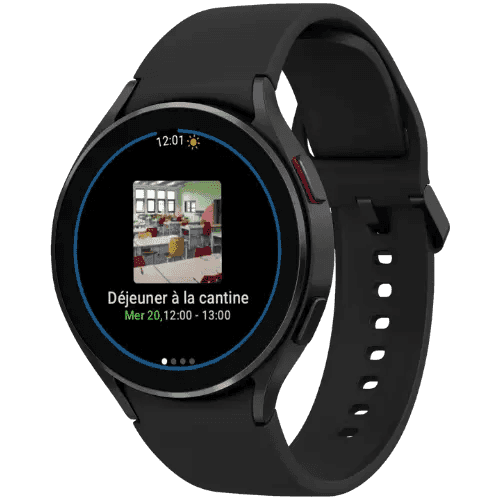
The day’s schedule, on the wrist
- 1
Choose a Wear OS watch
- 2
Link it to Pictalk Buddy
a 4-character code is all it takes, follow the step-by-step guide.
- 3
The person follows their day
schedule, steps and reminders on the wrist, even without a phone.
How to Use Pictalk Buddy?
Tutorials →-
 Guide to our AAC and autonomy application
Discover Pictalk Buddy with this guide: an app with a robust communication module, a visual schedule with images, speech output, and pictograms for people with NDD.
Read Article → -
.png-26c345df-2265-4efc-a851-17b2709bf664.D-UH8Cd0_1yc4tY.png?dpl=6ae68100dae3f891b6b7f996) Pictalk Buddy Watch Guide
Pictalk Buddy Watch GuideComplete Pictalk Buddy Watch guide: installation, visual schedule, personalized notifications and AAC communication on a smartwatch for autonomy with neurodevelopmental disorders.
Read Article → -
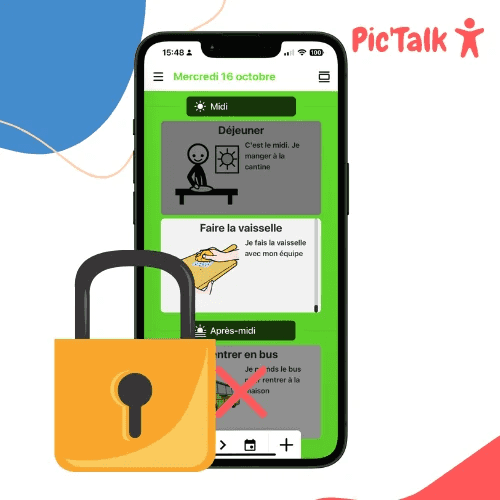 Blocking Applications on Android and Apple Phones
How to block applications and video games on Android and Apple devices? We show you how to limit screen time, restrict applications on your phones and tablets.
Read Article →

An application tailored to the needs of specialized care and education facilities
We co-designed Pictalk Buddy, particularly the Agenda part, with special-education professionals and caregivers, testing early versions directly with teams in the field. This development process allows Pictalk Buddy to address the issues of people with neuro-developmental disorders, as well as the constraints of professionals and caregivers.
All of Buddy's tools, for the whole team
Schedule, communication, sequences and life journal, shared between the team, the family and the person.
-
No break in care
The same schedule follows the person from one service or facility to the next.
-
The app at home too
Families find the routines built with the team.
-
Teamwork
Colleagues and relatives share schedules, each with their own role.
-
Remote setup
Edit schedules from your computer; they update everywhere.
-
On phone and smartwatch
The schedule stays with the person, with reminders on the wrist.

Discover how to deploy Pictalk Buddy Pro in your organization: groups, profiles, content sharing, and monitoring of supported individuals
Read Article →They support us
Partners, sponsors and awards