Free Digital Communication Binders and Pictograms for AAC
Replace your PECS™ paper binders with a free digital solution. Create, print or directly use your communication boards on a tablet with over 40,000 pictograms.


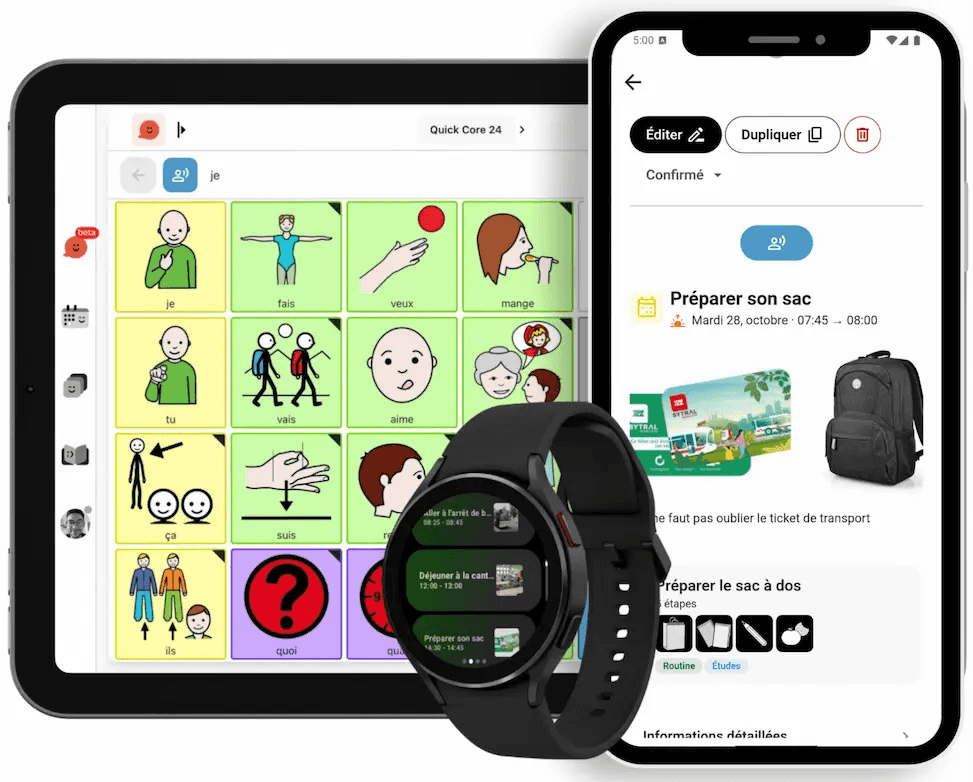
The challenges of paper binders
Traditional communication binders present several disadvantages:
- Expensive to create and maintain (prints, lamination, Velcro)
- Heavy and bulky to carry everywhere
- Pictograms that wear out, get lost or peel off
- Difficult to update quickly
- Limited vocabulary due to the physical size of the binder
- No voice synthesis to assist communication
Pictalk: the evolving digital binder
Pictalk transforms your tablet or smartphone into an intelligent and unlimited communication binder.
Supportive and ad-free — Create as many boards as needed without any cost.
Compatible with PECS™ — Follow the same principles of communication by exchanging pictures, in digital format.
Compatible with PODD™ — Pictalk adapts to the PODD™ organization system thanks to collections and shortcuts.
Advantages of the digital binder
- 40,000+ ARASAAC pictograms — Complete and free library
- Create your own images — Add personal photos and custom pictograms
- Built-in speech synthesis — Each pictogram can be voiced
- Organize by categories — Clear structure and intuitive navigation
- Instant updates — Modify your vocabulary in seconds
- Cloud backup — Synchronize across multiple devices
- Print mode — Print your boards if needed for paper use
- Offline functionality — Usable anywhere without internet
"We had been using PECS binders for 2 years. Pictalk Buddy allowed us to have all the vocabulary on the tablet, always up to date. No more searching for lost pictograms!"
How to create your digital binder
- Download Pictalk Buddy on tablet or smartphone
- Create your categories (food, activities, emotions, etc.)
- Add the pictograms from the library or your photos
- Customize the organization according to the user's needs
- Use the speech synthesis to enhance communication
Tip: Start with 2-3 essential categories (basic needs, favorite activities) before expanding gradually.
Frequently Asked Questions
Start Free Today
Join 10,000+ families using Pictalk